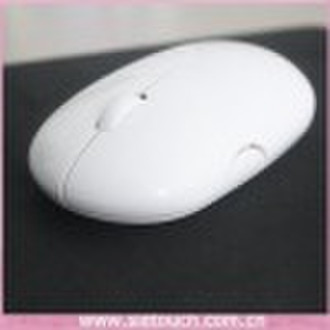


基本信息
| 产品的地位 | Stock |
|---|---|
| 适用 | Desktop |
| 接口的类型 | Bluetooth |
| 风格 | 3D |
| 牌子的名字 | OEM |
| 模式的数量 | ST-M101 |
| 出生地 | Guangdong China (Mainland) |
| 类型 | 2.4千兆赫的无线电 |
Specification: 1) 2.4GHz wireless,1200CPI optical technology 2) with CPI swithch(800/1200CPI), press left+mid+right button for switching 3) 0-10 Meter working range 4) Work with 2pcs AAA alkaline batteries 5) USB nano dongle, more convenient for power command Connect: Step 1: Open the battery cover(underneath the mouse), install 2 pcs alkaline AAA batteries. Step 2: Take out the USB nano dongle, and close the battery cover. Step 3: Take Plug the USB nano dongle in the USB port. Step 4: Place your wireless mouse close to the dongle about 30CM, and turn the power switch button to "On"(underneath the mouse).The led light will light up.Your mouse will connect with the dongle automatically and start working. Notice: if the mouse doesn't work, please place the mouse near to the dongle and press the connect button(underneath the mouse)and release, it will connect to work. System Supported: Windows 98, Me, 2000, XP, Vista, Windows 7, Mac OS or later.
交货条款及包装
Packaging Detail: box package Delivery Detail: 3-15 days
端口: shenzhen
付款条款
Letter of credit
Telegraphic transfer
Western Union

-
支付方式
我们接受:




